Fuse box labels: a written circuit list first, a QR code for the extras
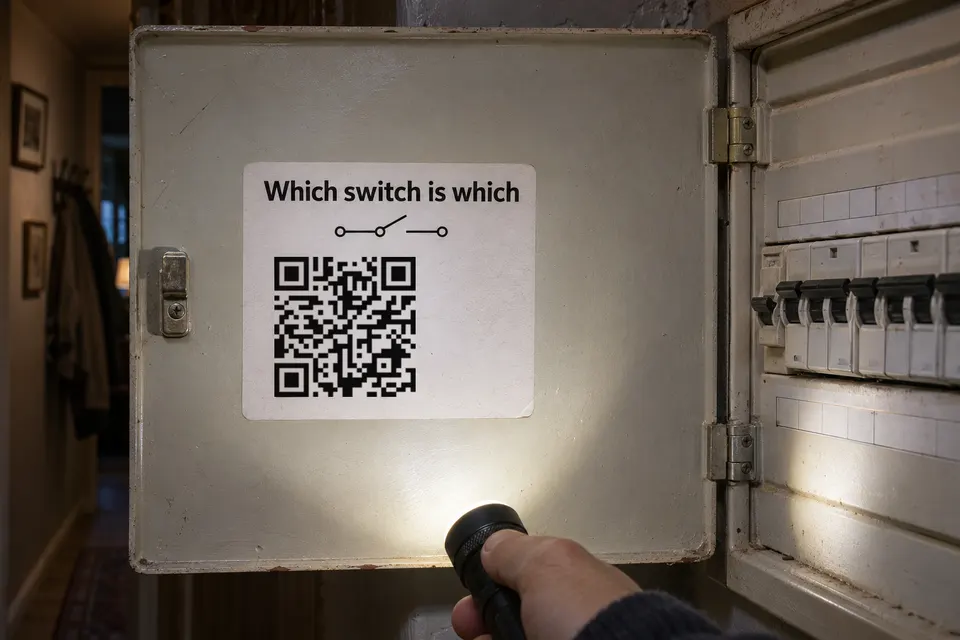
Keep a readable circuit list at the fuse box, printed or handwritten, and treat a QR code as an addition to it. A bebber, meaning a printed code plus a mobile page behind it, can hold what does not fit on the door: longer notes, contacts and a record of electrical work. It needs an internet connection to open, and that may be missing in a power cut. Home broadband can also fail in an outage unless its equipment has backup power (BT guidance).
What the circuit list on the door needs
Fairfax County’s circuit directory guidance says each circuit needs a description specific enough to tell it from the others. The guidance was published in 2021 and cites the 2017 US National Electrical Code; requirements elsewhere may differ.
Replace the illustrative entries below with the identifiers already printed on your panel and with details you have checked.
| Breaker or fuse | Room or location | What it serves | Checked on |
|---|---|---|---|
| 1 (example) | Kitchen | Sockets above the counter, fridge | 2026-11-17 |
| 2 (example) | Kitchen | Oven | 2026-11-17 |
| 3 (example) | Hallway | Ceiling lights, smoke alarm | 2026-11-17 |
| 4 (example) | Bedroom, north wall | Sockets on the north wall only | 2026-11-17 |
Describe the load, not just the room. “Bedroom” for four breakers does not tell anyone which one to switch off. Before you switch off a breaker to identify its circuit, check with everyone affected that cutting the supply is safe. If equipment must stay powered, or you are unsure how to proceed, ask an electrician to identify the circuit. The directory identifies circuits; it does not show that wiring is safe to work on.
What belongs on the page behind the code
- Contacts: your electrician, and the building manager if you rent or live in a shared building.
- A work record: the date, the work and the electrician you enter; this may be an incomplete history.
- Notes: where the main switch is, which breakers trip often, which circuit must stay powered.
- A copy of the circuit table above, for use when you are away from the panel.
Placement checklist
- Keep the printed circuit list readable and in place. Do not cover existing markings with the sticker.
- Put the sticker where it does not block the door or the breakers.
- Scan the printed sticker in place, with the door open and shut, and confirm that your notes appear.
- Surface, heat and wear affect how long a sticker lasts (Avery’s durability guidance), so check it from time to time.
- After electrical work, update the printed list and the page. Editing the page needs no new QR code, but the paper list still has to be redone.
Privacy and what depends on bebber
A bebber page is unlisted and not indexed by search engines by default. Anyone with the link can open it, and a free password can be added. Do not put anything on the page that a visitor to the premises should not read. If bebber stopped operating, the printed code would stop resolving. A static code to a page on a domain you own and can edit is the alternative if you have one.
Make a fuse box bebber
The creator at /create opens in Simple mode, which makes a page with one piece of content in three steps: Content, Preview, Email.
-
In Content, choose text and enter one circuit per entry in the format below, using your own identifiers and checked dates, not the example rows. A text block does not show a table, so paste plain lines:
Breaker: [existing identifier] Location: Kitchen Serves: Sockets above the counter, fridge Checked: [your actual verification date] -
In Preview, check that each identifier and its description are readable on your phone.
-
In Email, enter your address. The edit link arrives by email, so keep that message. It is how you change the page later, for example after an electrician’s visit.
-
Download the code as PNG, SVG or PDF, print it and follow the placement checklist above.
bebber is free and needs no account. Create your fuse box bebber.
Sources
- BT guidance bt.com
- Fairfax County's circuit directory guidance fairfaxcounty.gov
- Avery's durability guidance avery.com
Read next
How to keep appliance manuals and receipts behind a QR sticker
Put an appliance's PDF manual, receipt photo and warranty date behind a QR sticker on the machine. What to store, what to keep off, and how to place it.
How to let open house visitors scan to check in
Visitors scan a code at the door to sign in and take the listing home. Free route with a Google Form, Pro route with a built-in form, with exact steps.
How big a QR code sign needs to be so people scan it
QR code sign size: start at the scanning distance divided by 10. Size table for counters, windows and yard signs, glare, placement, tamper checks.
Ready to make your own?
Same idea, your content — done in about a minute.
Create your bebberNo sign-up. No credit card. Free forever.