How to make a QR code for donations
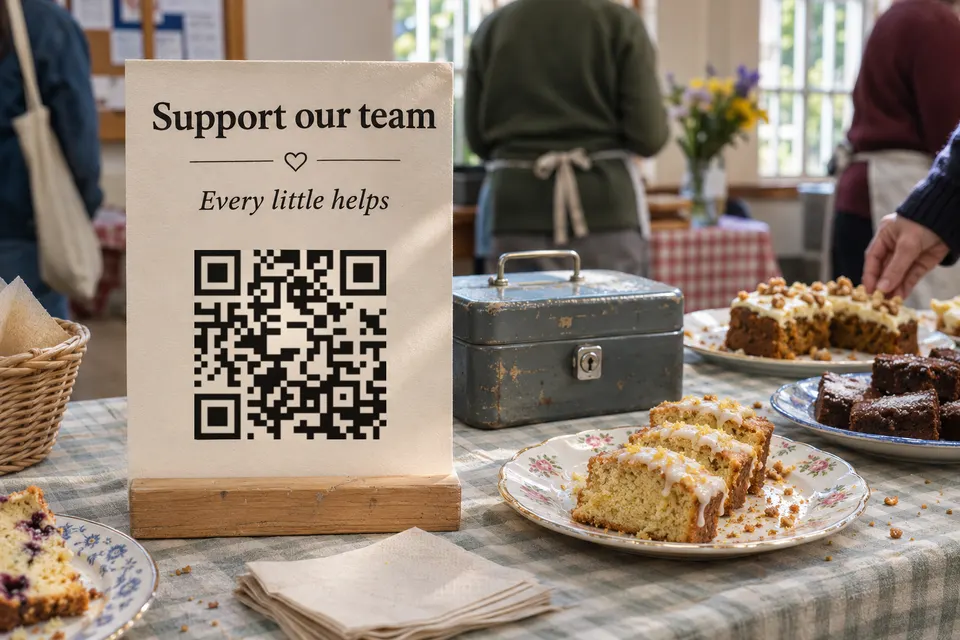
For a donation poster, point the QR code at your organisation’s donation page. If you already have one, use its link, print a test copy and walk through the whole donation on a phone. The code only opens a link, so the money lands wherever that link leads. If you do not have a donation page yet, the table below compares where small groups can set one up.
Compare where donors can give
US fees in dollars, as each provider’s pages stated them on 2026-11-17.
| Provider | Who can use it | Fees as stated |
|---|---|---|
| Venmo charity profile | Charities whose status is confirmed on PayPal | 1.9% + $0.10 per donation of $1 or more, paid by the charity |
| Zeffy | US nonprofits with an EIN and a bank account in the organisation’s name; 501(c)(3) status is not required (Zeffy) | No platform or processing fees to the nonprofit. Donors see a suggested optional contribution to Zeffy and can change it to $0 |
| Givebutter | Aimed at nonprofits | Tips on: 0% platform fee and no processing fees for nonprofits. Tips off: 3% platform fee plus 2.9% + 30¢ per card payment |
| GoFundMe | Individuals, businesses and certified charities | No fee to start; one-time donation transaction fee 2.9% + $0.30 for personal fundraisers, 2.2% + $0.30 for certified charities. GoFundMe Pro pricing differs |
| Stripe Payment Links | Stripe accounts; new users may face extra review | Standard fee not stated on that page; discounts need registered nonprofit status in a supported region and at least 80% of Stripe volume from tax-deductible donations |
Whether a donor needs an account varies, and these pages do not say. Test your chosen link on a phone while logged out, including any app-install or sign-in prompt. Receipts and donor records also differ by provider, so check them before you choose.
Check what your donation page already says
A donation page may already name your organisation and describe the cause. Venmo charity profiles, for example, include a photo gallery. If it does, print its link as a QR code, or use the provider’s own QR code, which is one step shorter for the donor.
An intermediate page helps in two cases: you want to show more than the provider’s page allows, or you want to change provider or campaign without reprinting posters. A bebber suits groups with no website to point at.
Build a donation bebber
A bebber is the printed code plus the mobile page behind it. bebber does not process payments. Its button opens your donation link. No account is needed, and there is no scan limit, expiry or ad shown to donors. The free plan allows 5 blocks and 25 MB of files per code.
- Open the bebber creator. It starts in Simple mode, which holds one piece of content, so switch on “Advanced” and pick the “Blank” template.
- Choose “Add block”, then an image with text. Write who you are and what the money does, for example “New roof for the village hall: 12,000 EUR needed, 7,400 raised”, and add a photo.
- Choose “Add block”, then contact info with your organisation’s name, phone number and email.
- Choose “Add block”, then a button. Label it “Give online” and paste your donation link.
- Go through the Page, Code and Details steps, enter your email for the edit link, and press “Create my bebber”.
You then see the code to download as PNG, SVG or PDF, and you receive an email with the edit link. Scan the village-hall poster with your own phone, tap “Give online” and confirm the provider shows the hall’s campaign. Change the campaign text or the button link later through the edit link; the printed code stays valid.
How long your donation bebber works
If bebber stopped operating, its codes would stop resolving. A static code that points at your own website avoids that dependency on bebber if you can edit the site and keep the domain and hosting running. The do QR codes expire guide covers this in more detail.
Make the poster safe to trust
The FTC reports scammers covering real QR codes with their own in public places, and its advice on giving safely tells donors to confirm who receives the money before clicking a donation link.
- Print your organisation’s full name and your bebber page’s web address beside the code.
- Name the payment provider separately: “Scan to open our bebber page, then tap Give online to donate through PayPal.” A code that points straight at the provider needs the provider’s address printed instead.
- Add a phone number or the treasurer’s name as a fallback.
- Inspect posters in public places at regular intervals for stickers over your code.
Print the code so it scans
Download the code as SVG or PDF for print. DENSO, the format’s inventor, states that a code “requires a four-module wide margin at all sides”. The downloaded bebber image already includes that border, so add none, and keep “Scan to give” and other print outside the image. A code from another provider may not include it, so check.
A poster is scanned from farther away than a collection tin, so make its code larger. Test the printed village-hall poster from the expected distance with two different phones. The signs page has size tables for boards and banners. For signs that offer several payment apps, see the payment QR code guide.
Create your donation bebber: open the creator and paste your donation link into the button block.
Sources
- Venmo charity profile help.venmo.com
- status is confirmed on PayPal help.venmo.com
- Zeffy zeffy.com
- Zeffy support.zeffy.com
- change it to $0 support.zeffy.com
- Givebutter givebutter.com
- GoFundMe gofundme.com
- Stripe Payment Links support.stripe.com
- registered nonprofit status in a supported region and at least 80% of Stripe volume from tax-deductible donations support.stripe.com
- scammers covering real QR codes with their own consumer.ftc.gov
- advice on giving safely consumer.ftc.gov
- "requires a four-module wide margin at all sides" qrcode.com
Read next
Print a payment sign for Venmo, Zelle and Cash App
Find your Venmo and Zelle QR code, use Cash App and PayPal.Me links, print a payment sign, and offer several apps from one code with a bebber page.
How big a QR code sign needs to be so people scan it
QR code sign size: start at the scanning distance divided by 10. Size table for counters, windows and yard signs, glare, placement, tamper checks.
Do QR codes expire? What seven tools say, and what bebber does
Do printed QR codes expire? Compare seven tools' stated policies, check your own code, and see what you can fix before reprinting.
Ready to make your own?
Same idea, your content — done in about a minute.
Create your bebberNo sign-up. No credit card. Free forever.